Flatpak and Snap
Some software is only current as a Flatpak or a Snap: vendor-built apps, proprietary clients, and projects that publish only to Flathub or the Snap Store. nixarchy installs them the same way it installs everything else. A pick writes a declaration, and Apply builds it.
Open it from Install ▸ Flatpak & Snap.
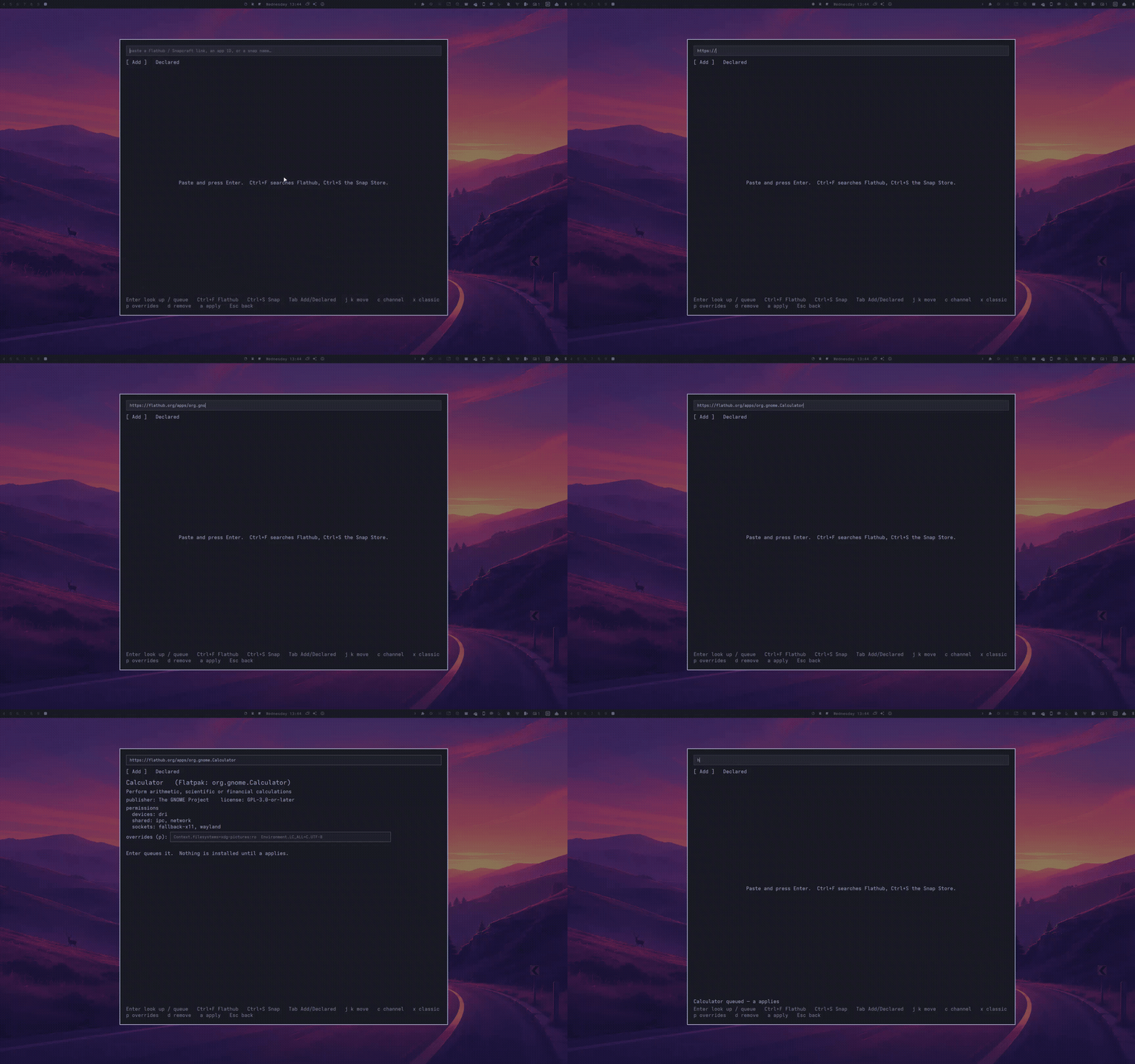
Paste what you have
| Paste | Becomes |
|---|---|
https://flathub.org/apps/org.gnome.Calculator |
Flatpak org.gnome.Calculator |
https://dl.flathub.org/repo/appstream/<id>.flatpakref |
Flatpak <id> |
https://snapcraft.io/spotify |
Snap spotify |
flatpak install flathub org.gimp.GIMP |
Flatpak. The command line is read, never run |
snap install code --classic --channel=edge |
Snap, keeping the flags |
com.spotify.Client |
Flatpak |
spotify |
both stores are checked, and you pick |
Anything else is refused with a one-line reason: http://, other hosts,
Flatpak remotes other than Flathub, and per-user installs. No link at hand?
Ctrl+F searches Flathub and Ctrl+S searches the Snap Store.
Look, queue, apply
The card shows the publisher and the license. For a Flatpak it also shows what the sandbox lets the app reach, and for a Snap its confinement.
| Key | Does |
|---|---|
Enter |
look it up; on a card, queue it |
c |
cycle the Snap channels this Snap actually publishes |
x x |
switch a Snap to classic confinement: two presses, because it removes the sandbox |
p |
Flatpak overrides, e.g. Context.filesystems=xdg-pictures:ro. Queuing with overrides takes a second Enter |
Tab |
switch between Add and Declared |
d then y |
un-declare the selected app |
a |
apply: nixarchy-apply, with the build log in the panel |
Esc |
one step back; closes from the top |
Nothing is installed until you press a.
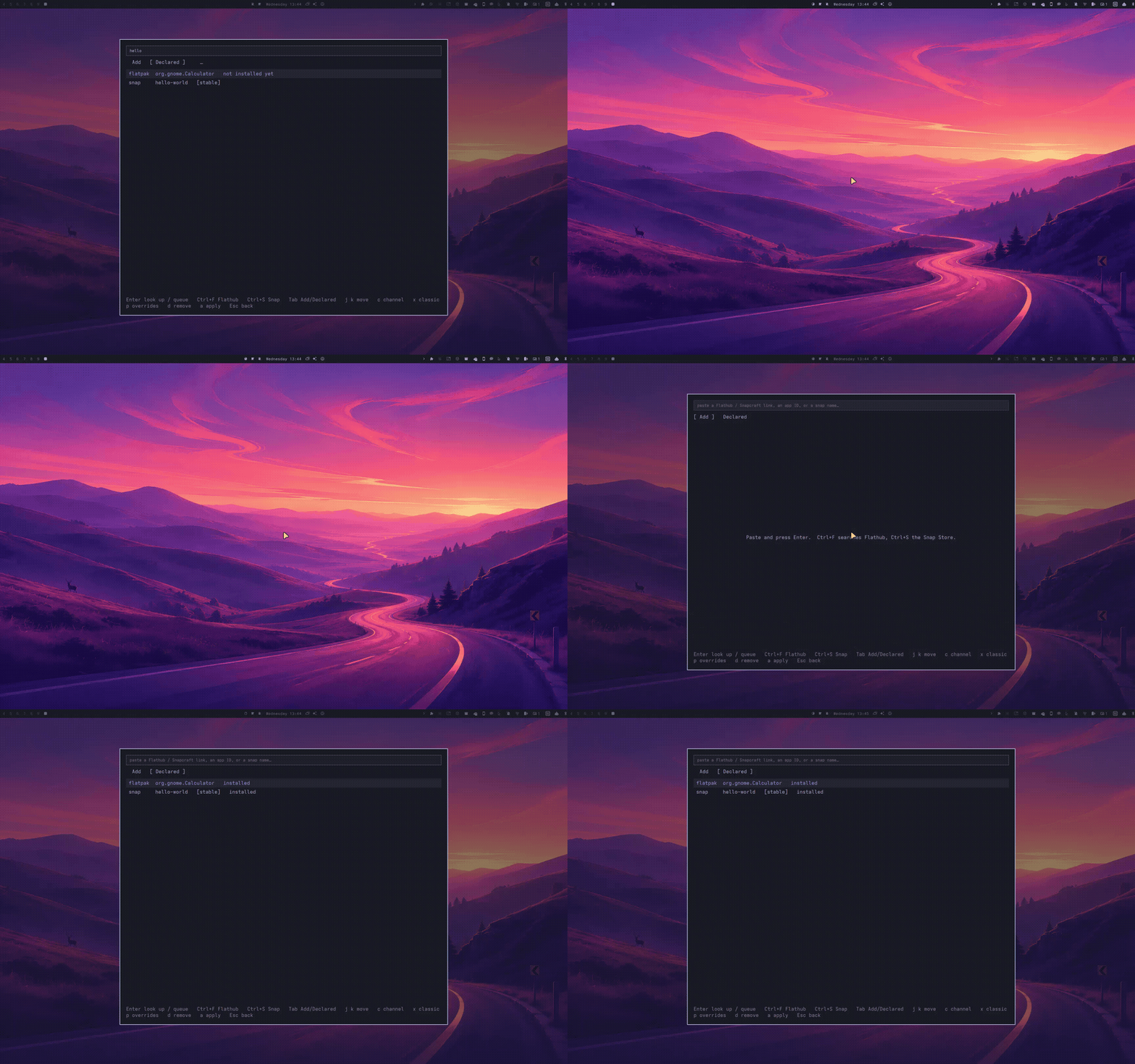 Queuing writes
~/.config/nixarchy/flatsnap.nix, which apply copies into your flake next to
apps.nix, like every other selection.
Security
Read this before adding Snaps.
-
Snap confinement on NixOS is weaker than on Ubuntu. Snap support comes from nix-snapd, which has no AppArmor, a setuid
snap-confine, and a bubblewrap patched to dropPR_SET_NO_NEW_PRIVS. Treat a “strict” Snap here about as far as you trust its publisher, not as sandboxed. The panel says this on every Snap.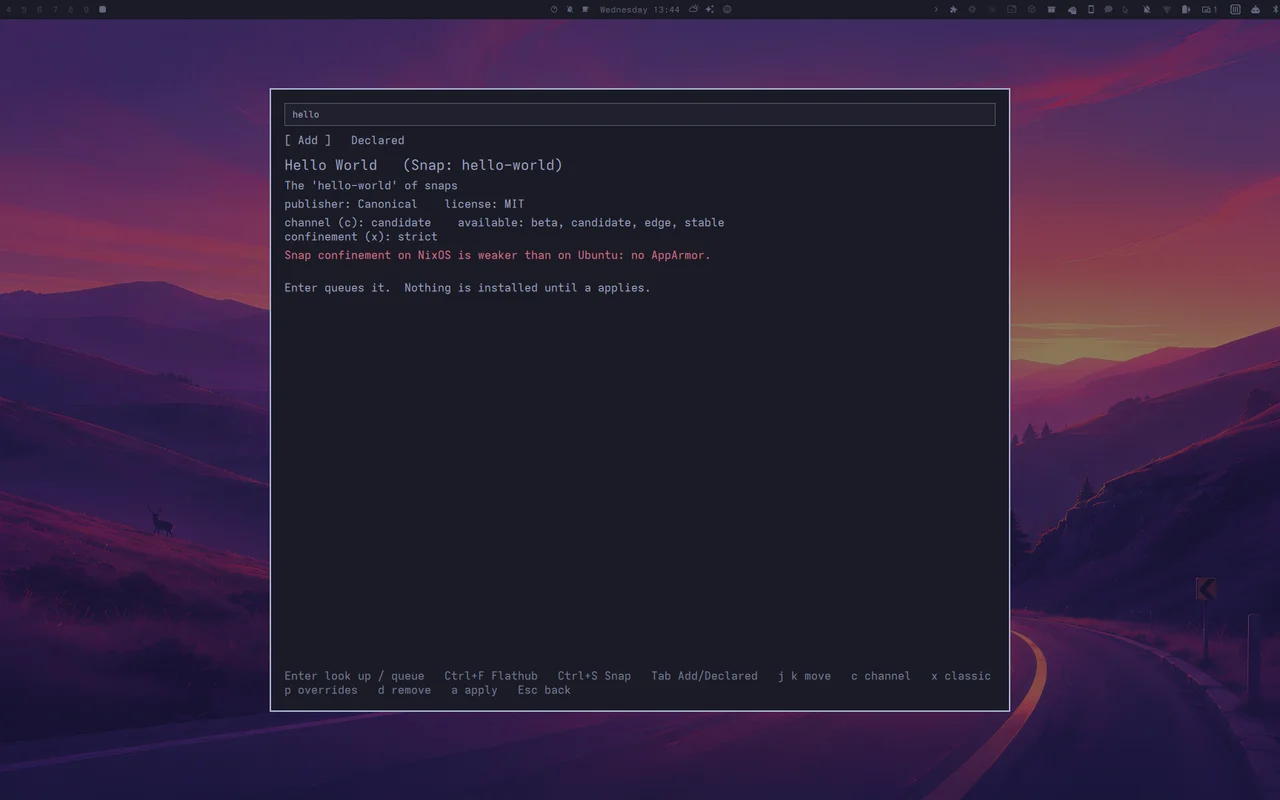
- Classic Snaps have no sandbox at all. They take two presses, and are marked in red.
- snapd runs only while you have a Snap, or one is still being removed. On
a machine that has never declared one, there is no snapd daemon, no setuid
helper, and none of snapd’s 1 GiB closure. Removing your last Snap keeps snapd
for one more apply: the Snap stays in
flatsnap.nixaspendingRemovaluntil it has actually gone, and the next change you make in the panel clears it, after which snapd is off again. - Flatpak permissions are shown before you queue. Overrides take a second
Enter. nix-flatpak keeps anyflatpak overrideyou set yourself.
Removing
Un-declare the app with d y, then press a.
- Flatpaks follow
programs.nixarchy.flatpaks.uninstallUnmanaged. When that is on,alists the hand-installed Flatpaks the apply would also remove, and asks for a seconda. - Snaps are removed only if nixarchy installed them. A Snap you installed by hand is never touched.
- A removed Snap’s data is deleted without a snapshot. snapd normally saves
one first, but on NixOS that step fails, so removal uses
snap remove
--purge
. Copy anything you want out of~/snap/<name>before un-declaring it.
A rollback restores which apps are declared, not their versions. Flatpaks and Snaps live outside the Nix store.
Turning it off
programs.nixarchy.defaultPlugins.flatsnap = false;
This removes the panel. The menu row hides itself.
If your flake already imports nix-snapd
nixarchy imports nix-snapd itself now. If your own flake imports
nix-snapd.nixosModules.default as well, evaluation stops with:
error: The option `services.snap.enable' … is already declared in …
Remove your own nix-snapd input and its import. services.snap then comes from
nixarchy, and everything you had set on it keeps working.
Recorded on a nixarchy laptop in Tokyo Night, applying into its real configuration; the build log is shortened.