Configuring nixarchy
Every option the module exposes that is worth a decision, and what each one defers to. The install paths are in Getting Started; this page is what to read once the desktop is up and you want it to be yours. It used to be the middle of the README, and moved here unchanged.
The module, in one flake
{
  inputs.nixarchy.url = "github:olafkfreund/nixarchy/v4.0.1-1";

  outputs = { nixpkgs, nixarchy, ... }: {
    nixosConfigurations.mymachine = nixpkgs.lib.nixosSystem {
      modules = [
        nixarchy.nixosModules.nixarchy
        {
          programs.nixarchy.enable = true;
          # Where nixarchy-apply copies your app selection before rebuilding.
          programs.nixarchy.flake = "/home/you/nixos-config";
        }
        ./nixarchy-apps.nix # the generated selection
      ];
    };
  };
}
And in Home Manager:
{
  imports = [ nixarchy.homeManagerModules.nixarchy ];
  programs.nixarchy.enable = true;
  programs.nixarchy.defaultTheme = "tokyo-night";
}
Shell functions
Omarchy’s shell functions —
compress, dip, hdl, tdl, iso2sd, the tmux and git-worktree helpers,
20 in all — come from a bash rc chain that also sets aliases and EDITOR. It
needs no patching here: every path in it resolves through OMARCHY_PATH.
It is on by default, and opinionated: it aliases ls to eza, cd to zoxide
and g to git. Turn it off if you bring your own shell config:
programs.nixarchy.bashIntegration = false;
Left on, it loads from /etc/bashrc — before ~/.bashrc — so anything you
define yourself still wins. Nothing in the desktop depends on it: the menus
call the omarchy-* executables directly, not these functions.
Plugins
Omarchy’s plugin system works here unchanged — the menu below is upstream’s own, running on NixOS:

Two published third-party plugins, installed into that session and then turned off again. The top bar is the same bar in both strips — the teleprompter glyph beside the clock and the widget-toggle icon on the right are omteleprompt and omarchy-bar-toggle:

Both frames come out of checks.plugin, which installs those two plugins from
their real repositories on every push and fails if the shell does not load
them. Adding one is a command, not a rebuild:
omarchy plugin add https://github.com/seyhunak/omteleprompt.git --enable
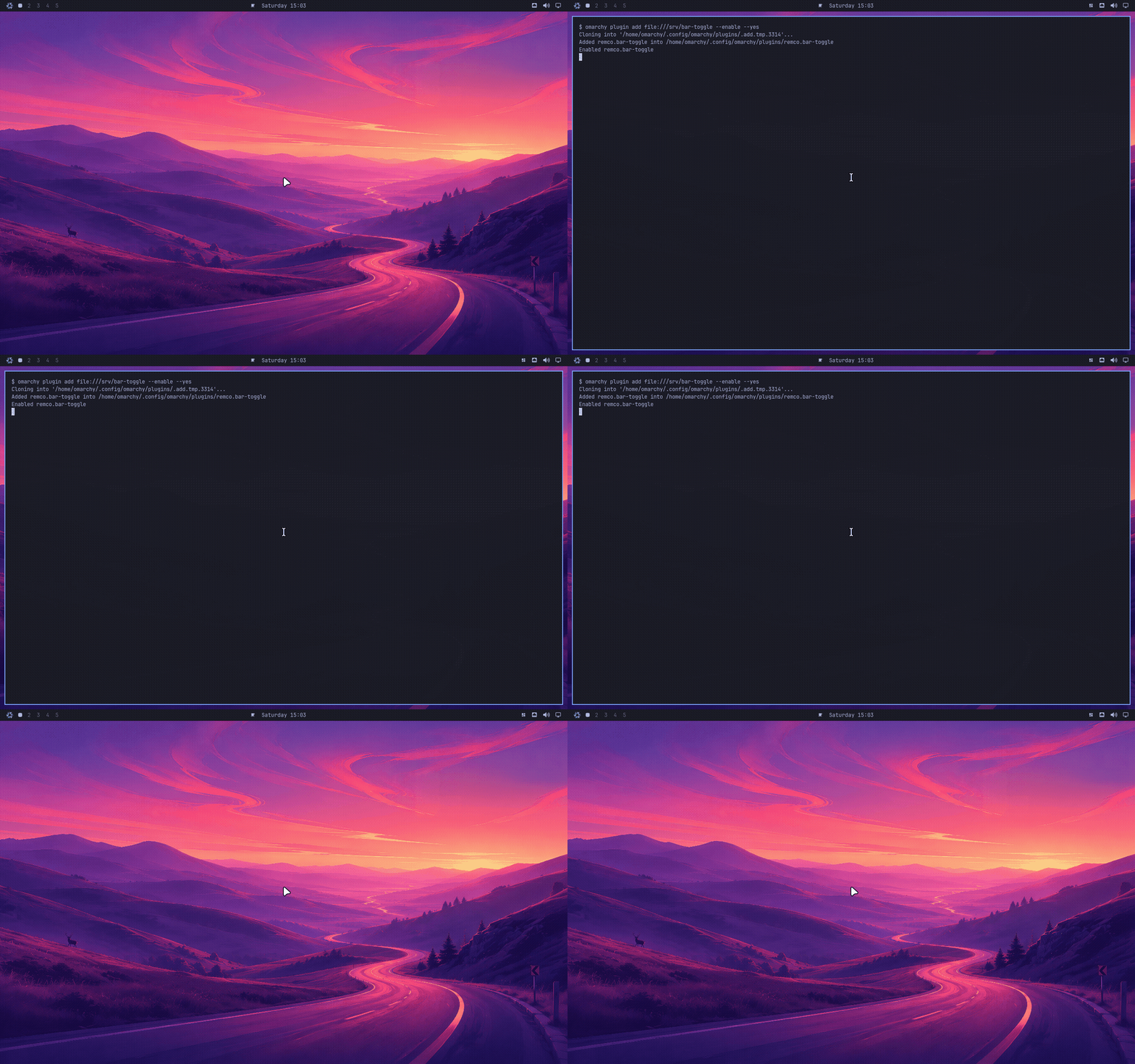
Or from the menu above, which is where most people will find it. Add opens a
floating terminal and asks for the URL. Those rows are upstream’s own — nixarchy
adds none and, more to the point, takes none away: the menu you see is Omarchy’s default with the
nixarchy extension merged over it by id, and that extension rewrites only the
install.* and remove.* rows. The check asserts it never names a
setup.plugin.* id, because an override that did would hide the row with no
error anywhere.
That clones into ~/.config/omarchy/plugins/ at runtime and the running shell
picks it up — no rebuild, no flake edit, nothing added to apps.nix. It is
upstream’s design and nixarchy keeps it: a plugin is somebody’s QML loaded into
your bar, and pinning that in a flake would make trying one a five-minute
round trip instead of a command.
Two things make it work on NixOS that would otherwise be quiet failures, and
both are covered by nix build .#checks.x86_64-linux.plugin, which installs two
real published plugins and then removes them again:
~/.config/omarchyis a real directory, not a store symlink. Home Manager’s usual answer for a config file is a read-only link into/nix/store. The seed usescp -rninstead, soplugin addcan write there at all.- A plugin gets whatever
pkgs/omarchy/default.nixdeclares, and nothing else. Plugins shell out to commands they assume are present — omteleprompt’s voice mode runspython3,parecordandarecord. On Arch those are just there. Here they are on the list, and the check keeps them there. A plugin needing something that isn’t will fail silently inside a QMLProcess, so if one misbehaves, that is the first thing to look at.
Declaring plugins in your configuration
Plugins can also be pinned, so a machine rebuilt from your flake comes up with them already there:
programs.nixarchy.plugins.omteleprompt.src = pkgs.fetchgit {
  url = "https://github.com/seyhunak/omteleprompt.git";
  rev = "9a35865220a0c9d65132329e446a84c466545110";
  hash = "sha256-KJM/AC1DnPwob40lo39Rlk9qkyKTI++bss1wPIcGsTs=";
};
src is any directory with a manifest.json at its root — a fetchgit, a
flake input, or a path in your own repo while you write one.
This works because upstream already separates the two halves: a plugin’s code
lives in ~/.config/omarchy/plugins/<id>/, while whether it is enabled and
where it sits in the bar are recorded in ~/.config/omarchy/shell.json by the
running shell. So the code can come from the store — the directory is a symlink,
which upstream’s scan follows and omarchy plugin remove has an explicit branch
for — without freezing anything the user changes at runtime.
Three consequences worth knowing, all of them deliberate:
- It installs a plugin; it does not enable one. Enable it once from
Setup → Plugins and that choice sticks, because it is recorded in
shell.jsonrather than in the plugin folder. Managing enablement from Nix would mean a plugin you turned off came back at the next rebuild. - The id comes from the plugin’s own
manifest.json, not from the attribute name. It is what the shell, the menu and everyomarchy-plugin-*command key on, so a folder named anything else would be a plugin you could not enable or remove by the name on screen. - A broken manifest fails the rebuild, checked with upstream’s own
omarchy-plugin-validaterather than a copy of its rules — so it cannot drift at the next Omarchy bump. You find out atnixos-rebuildinstead of after logging in to a plugin that installed and does nothing.
omarchy plugin add still works alongside this, and the two do not collide: a
plugin you add by hand is a real directory this never touches, and adding one
whose id you already declare is refused rather than installed twice.
Plugins run unsandboxed inside your long-lived shell process. Upstream warns
about this at the prompt and refuses ext::-style URLs that would run a command
at clone time; both behaviours are intact here.
RetroArch cores
pkgs.retroarch is retroarch-with-cores built with an empty core list,
so installing it plainly gives an emulator that can run nothing.
programs.nixarchy.apps.retroarch therefore ships its own build with 13 cores
— every core Omarchy’s own picker offers that nixpkgs carries under a free
licence, with bsnes and blastem standing in for the unfree snes9x and
genesis-plus-gx.
retroarch-full would be the obvious alternative and is the wrong one: it
pulls unfree cores, and a single unfree package in the app list aborts the
whole rebuild rather than failing on its own. nixarchy allows unfree by
default, so widening the set is just the override:
programs.nixarchy.apps.retroarch = {
  enable = true;
  package = pkgs.retroarch.withCores (c: [ c.snes9x c.mame c.dolphin ]);
};
Whatever you pick shows up in the menu picker: upstream filtered the core
directory against 22 hardcoded names, which would have hidden anything you
added, so nixarchy lists what is actually installed and takes the labels from
libretro-core-info.
Binary cache
Enabling nixarchy otherwise means compiling a compositor: it takes Hyprland from hyprwm’s own flake, tracking their branch rather than nixpkgs’ packaging. The module adds both caches for you:
https://nixarchy.cachix.org   the vendored tree and this flake's own packages
https://hyprland.cachix.org   hyprwm's own builds -- the compositor and its
                              portal, which is why nothing here compiles one
programs.nixarchy.binaryCaches = false if you would rather trust neither and
build from source. This is the one setting worth a deliberate decision:
substituters are a list, so they merge into whatever you already trust without
any conflict to warn you.
Neovim, and the config you may already have
On Arch, Omarchy’s Neovim setup arrives as an omarchy-nvim package. That
package has no published source — it is not in the basecamp org and the
repository serves binaries — but Omarchy carried the same files in-tree as
config/nvim until v3.0.2, and pkgs/omarchy-nvim/ is that tree, byte for
byte, at the last revision anyone can read.
It is three files and under three kilobytes, because it is not a Neovim distribution: it is LazyVim, plus what Omarchy changes about it. LazyVim still resolves and locks its own plugins at runtime, exactly as on Arch.
Neovim itself is installed either way — it is one of the omarchy package’s
runtime dependencies, as it is one of upstream’s base packages. The only
question is ~/.config/nvim, which is yours:
programs.nixarchy.neovim = "theme-only"; # the default
theme-only (default) |
adopt |
off |
|
|---|---|---|---|
no ~/.config/nvim — a fresh install |
seed the config, link the theme | same | nothing |
you have one, no theme.lua |
add only the theme link | same | nothing |
you have a real theme.lua |
keep yours, say so | keep yours, and name what will collide | nothing |
Nothing here ever overwrites a file you wrote, and there is no setting that
does — an editor configuration is not this module’s to replace. The seed fires
only into a directory that does not exist, because half-seeding is worse than
not seeding: LazyVim reads every .lua under lua/plugins as a plugin spec,
so dropping Omarchy’s into someone else’s config means their setup silently
loads two it never asked for.
The theming is one symlink:
~/.config/nvim/lua/plugins/theme.lua → ~/.local/state/omarchy/current/theme/neovim.lua
All 22 themes ship a neovim.lua, and that link is what reads it. It is set
only when the path is absent or already a symlink — the same rule upstream’s
own migrations follow.
adopt adds nothing to what is written; it names the collisions instead. A
lua/plugins/colorscheme.lua beside the link is two LazyVim specs setting
opts.colorscheme, and a Home-Manager-owned ~/.config/nvim is a tree the
link cannot be written into at all. Both work alone and disagree together,
which is the kind of thing worth being told once rather than debugging.
Naming the user who runs the desktop
programs.nixarchy.user = "alice";
Optional, and worth setting. A NixOS machine has many users and the module
cannot guess which one logs into Omarchy, so the few things that need a name
are skipped rather than applied to someone arbitrary. Today that is the
input group — upstream’s installer runs usermod -aG input, and without
it the dictation tools and game controllers Omarchy offers cannot read their
devices.
browserThemeUser is deliberately not defaulted from it: naming the desktop
user should not silently hand them the browsers’ policy directories.
The boot splash and the login screen
Two different screens, with two very different answers.
The boot splash is nixarchy’s own: the NIXARCHY wordmark draws itself in with a ttfx text effect – the same engine the screensaver runs, over the same ASCII banner – and a progress bar fills underneath it. The animation is rendered to stills when the package is built, because Plymouth has no terminal for ttfx to draw in. The bar is a change from upstream, which shows it only after a passphrase prompt, so a machine with no encrypted disk never saw it.
It yields to anything that names a theme of its own — stylix does, so a stylix machine keeps the stylix splash. To take nixarchy’s instead:
programs.nixarchy.bootSplash = "force";
force moves boot.plymouth.theme and themePackages together. Reaching
for lib.mkForce on the theme alone does not work: NixOS asserts the named
theme exists in the package list, and on a stylix machine stylix still owns
that list, so the build fails on a theme it cannot find. "off" leaves
boot.plymouth alone entirely.
The login screen is SDDM-only, and this is a real limitation. Omarchy’s
greeter is an SDDM theme — Main.qml plus assets, written against SDDM’s own
userModel and login() API. It is not a program greetd can run, and upstream
ships nothing for greetd. So:
- On SDDM you get it automatically.
programs.nixarchy.displayManageris on by default and setsservices.displayManager.sddm.theme = "omarchy", branded with the NIXARCHY wordmark. - On greetd you cannot have that screen. Your greeter keeps greeting and
picks up the Omarchy session like any other — which is what
programs.nixarchy.displayManager = falseis for. Switching to SDDM to get it means giving up greetd, and two display managers is not a working configuration.
There is no third option today. Porting the QML to a greetd greeter would mean rewriting it against a different login API, which is a fork of upstream’s greeter rather than a setting.
Apps you already have
The Install menu dims a row when the app is already there — whether it is in
your selection, or you installed it yourself and nixarchy knows nothing about
it. That second case is the one worth naming: an app in your own
environment.systemPackages or home.packages used to be offered as though
you had nothing, and taking the offer wrote a second declaration for something
you already run.
nix run github:olafkfreund/nixarchy#doctor reports the overlap before you
install anything:
Omarchy apps you already have
  15 of them, and nixarchy will not install a second copy:
    Alacritty
    Chrome
    Firefox
    ...
Both the report and the menu look for the same thing — the app’s command on
PATH — so what the doctor lists and what the menu dims agree. The command comes
from nixpkgs’ own meta.mainProgram, read at evaluation time without building
anything, because the attribute name is wrong often enough to matter: vscode
puts code on PATH and obs-studio puts obs.
Remove rows deliberately do not work this way. They stay bound to the selection, because deselecting is the only removal nixarchy is allowed to perform. An app that arrived from your own configuration is not this menu’s to take away.
The selection has to be imported
nixarchy-apply copies ~/.config/nixarchy/apps.nix to your flake root as
nixarchy-apps.nix. A flake cannot read a file outside its own tree, so the
copy is unavoidable — but importing it is yours to do:
imports = [ ./nixarchy-apps.nix ]; # path relative to the file you add it to
Without that line the menu marks apps enabled, apply reports a copy, the
rebuild runs to completion, and nothing is ever installed. apply now says
so loudly rather than leaving you to work it out from an app that never
appears.
Why it isn’t a package list
Several of these are not packages on NixOS, and a flat systemPackages
list would have been quietly wrong:
| app | what it actually needs |
|---|---|
| Steam | programs.steam — an FHS wrapper, or it will not run |
| 1Password | programs._1password-gui — a setuid helper, or it cannot unlock |
| Xbox controllers | hardware.xpadneo — a kernel driver |
| Firefox | programs.firefox — so policies and extensions stay declarative |
data/apps.nix records which is which, and per-app settings merge at that
app’s own option path:
programs.nixarchy.apps._1password = {
  enable = true;
  settings.polkitPolicyOwners = [ "you" ];   # → programs._1password-gui.polkitPolicyOwners
};
Services — Tailscale, remote desktop, Syncthing, OpenSSH — are the companion
catalogue in data/services.nix and a file of their own. A service nixarchy
only relays gets upstream’s own line, services.openssh.enable = true;; one it
integrates gets an option, programs.nixarchy.services.tailscale.enable. There
is no settings passthrough on those, because upstream’s options are still
upstream’s and are written beside ours:
programs.nixarchy.services.tailscale.enable = true;   # + trusts the interface
services.tailscale.useRoutingFeatures = "client";     # upstream's option, untouched
On a machine you already run
nix run github:olafkfreund/nixarchy#doctor reads the running system and
prints the configuration that machine needs, before nixarchy is an input
anywhere. The steps are in the README’s
Install;
this is what the doctor’s findings mean, and what the module leaves alone.
Three of the things it reports are worth knowing about in advance, because each fails silently, or misleadingly, rather than loudly:
Your session may be running an older build than the one installed.
OMARCHY_PATH and PATH are set at login and keep pointing at whichever store
path was current then. A nixos-rebuild switch installs a new package at a new
path and cannot change the environment of a session already running, so every
omarchy-* command the desktop executes – every keybinding, every menu row –
comes from the old build until you log out and back in. The doctor compares the
two and says so. On Arch this cannot happen: the tree lives at a fixed
/usr/share/omarchy overwritten in place, and a running session picks up a new
version at once. Here the path itself changes.
Setup > Default browser may report success and change nothing. If
mimeapps.list is a store symlink – which is what xdg.mimeApps in Home
Manager produces, and the right way to declare it – xdg-settings fails on the
read-only file and still exits 0. omarchy-default-browser’s || exit 1 never
fires. Nothing is broken and nothing says so, which is the only reason it is
worth a section: the fix lives in a file the menu cannot reach.
A tmpfs /tmp smaller than 64 GiB will fail a rebuild as a full disk. Nix
builds in $TMPDIR. When that is a tmpfs it is RAM, not the filesystem df
reports on, and a desktop rebuild unpacking several large sources at once
(cef-binary alone is ~1.9 GiB unpacked) can exhaust it. What you get is No
space left on device and nix’s own hint to check free disk space – on a
machine with hundreds of gigabytes free. Nothing in the error names tmpfs, RAM
or $TMPDIR. The doctor names the size and both remedies, and sets neither:
boot.tmp.* is your machine’s memory policy.
After it is installed
nix run github:olafkfreund/nixarchy#verify
From inside a running Omarchy session. Everything this repo checks in CI runs
in a machine with no GPU, no Bluetooth radio, no network and no sound – which
catches a great deal and cannot answer whether the compositor got hardware
acceleration, whether bluetoothd sees an adapter, or whether the RetroArch
cores landed where RetroArch looks. This asks those, and prints what it found
rather than a verdict: llvmpipe and AMD Radeon are both a pass to a script
and mean opposite things to a person.
On a laptop with hybrid graphics it reads:
Session    ✓ Omarchy shell running        pid 2019165
Graphics   ✓ hardware rendering
             Mesa Intel(R) UHD Graphics (CML GT2)
             Intel CometLake-H GT2 [UHD Graphics]
             NVIDIA GA104M [GeForce RTX 3080 Mobile / Max-Q 8GB/16GB]
Bluetooth  ✓ bluetoothd sees 1 adapter(s)
Theme      ✓ portal reports dark          ✓ cursor follows the theme
Shell      ✓ functions wired in           ✓ compose sequences resolve

16 passed, 0 failed, 3 worth a look
It distinguishes absent from broken: on a machine that has never installed Omarchy the checks that need it report as notes, not failures, and the header names the desktop that is running.
If you already have a ~/.config/hypr/hyprland.lua
Nothing is overwritten, and you keep both desktops. The seed never replaces a
file you own, so Omarchy’s own hyprland.lua is not installed — and it does not
need to be. The Omarchy session entry runs Hyprland with --config against
Omarchy’s copy in the store, so your Hyprland session stays exactly yours and
Omarchy’s is Omarchy’s. Pick whichever at the greeter.
You will see one line on rebuild saying so. The only case that warns is
programs.nixarchy.session = false and a Home Manager-owned hypr/ — with
no session entry and no installed config, that configuration has Omarchy’s
applications and menus but no way to reach its desktop.
Nixarchy never overwrites a file you own, so Omarchy’s own hyprland.lua is
not installed and nothing in ~/.config/hypr starts its bar or binds its keys.
The Omarchy session is the answer, and it is registered by default. It runs
Hyprland against Omarchy’s own config with --config, so it needs no file of
yours: your session stays yours, and Omarchy’s is Omarchy’s. nix build
.#checks.x86_64-linux.coexist boots exactly that arrangement – a foreign
hyprland.lua in place, the Omarchy session launched from its own .desktop,
and the desktop asserted to render.
The two sessions share
~/.config/hypr/{monitors,input,bindings,looknfeel,autostart}.lua, because
Omarchy’s bootstrap builds Hyprland’s Lua module path from $HOME/.config and
nothing else. Only the entry point differs, so editing those changes both.
What defers to you automatically
Every system service the module turns on is mkDefault, so your own settings
win rather than colliding. If you already run Docker your way, or
systemd-networkd instead of NetworkManager, or Plymouth off, nothing here
argues with you.
Two cases are handled rather than merely deferred:
| Your machine | What happens |
|---|---|
| TLP for power management | power-profiles-daemon is left off; NixOS forbids both. omarchy powerprofiles stops working, nothing else does |
| GDM, LightDM, greetd or ly | set displayManager = false; your greeter picks up the Omarchy entry from wayland-sessions and you lose only the branded greeter |
| Hyprland already configured | log in through the Omarchy session. It runs Hyprland against Omarchy’s own hyprland.lua via --config, so it never needs ~/.config/hypr/hyprland.lua and your session keeps working |
Two are not, because they are not nixarchy’s to resolve:
- PulseAudio. NixOS enables PipeWire for any graphical session and asserts
the two cannot coexist. A plain
programs.hyprland.enable = truewith PulseAudio fails the same way, with no nixarchy in sight. - Hyprland itself.
programs.hyprland.enable, its package andwithUWSMare set outright, not withmkDefault. Omarchy is written against Hyprland’s Lua API; replacing the compositor meanslib.mkForce, which is the right amount of friction for that. If you already pin your own Hyprland,mkForceit – anything from 0.55 satisfies the assertion.
The two sessions do share ~/.config/hypr/{monitors,input,bindings,looknfeel,
autostart}.lua, because Omarchy’s bootstrap builds Hyprland’s Lua module path
from $HOME/.config and nothing else. Only the entry point differs.