Installing a plugin
In a plugin’s details, i asks first, in the panel’s footer.
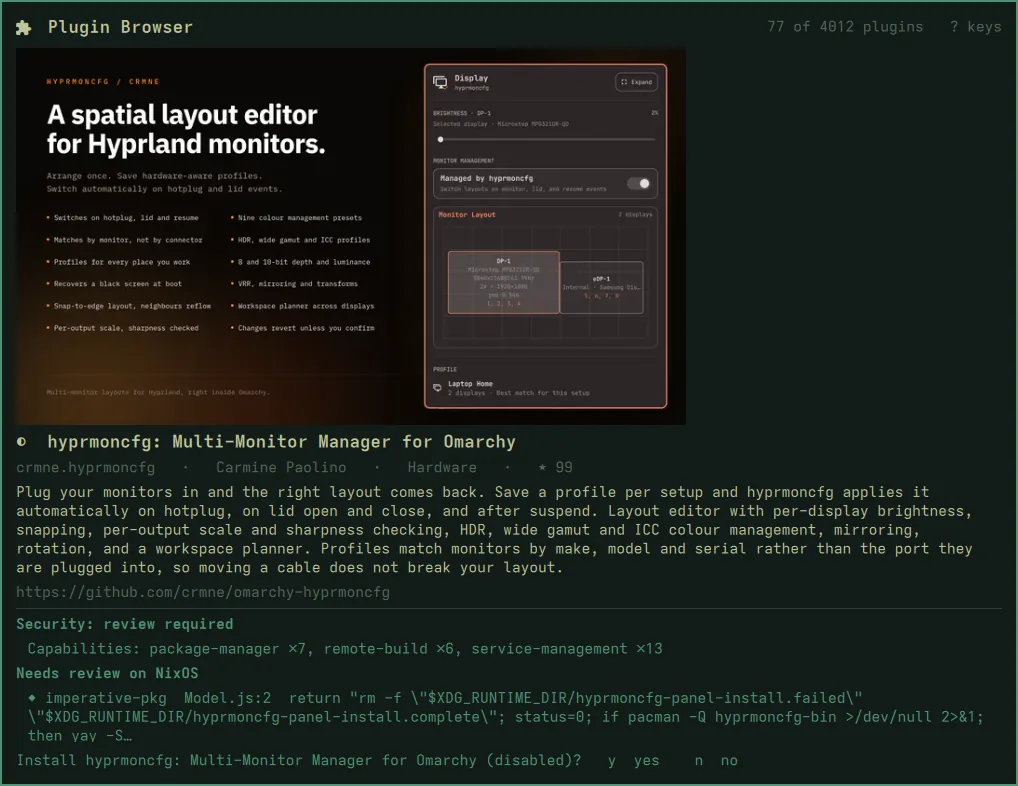
y installs the checkout that was audited:
- it lands disabled, through
omarchy plugin add, so nothing runs yet; - it is pinned: the installed commit is checked against the audited one, and
originpoints back at the plugin’s repository, soomarchy plugin updatestill works later; - it never edits your bar or enables anything.
Turn it on in Setup ▸ Plugins ▸ Enable Plugin when you’ve read it, or:
omarchy plugin enable <id>
Installing makes the shell reload its plugins, which closes the panel. The plugin is installed; there is just nothing left on screen to say so.
Adding by URL
For a plugin that isn’t in the marketplace, nixarchy keeps upstream’s prompt as Setup ▸ Plugins ▸ Add Plugin from URL. It installs whatever the URL points at, without the audit. To audit it first, run the audit from a terminal:
omarchy-plugin-audit https://github.com/acme/omarchy-weather.git
omarchy-plugin-audit https://github.com/acme/omarchy-weather.git --install
c in the panel copies a marketplace plugin’s install command, if you
prefer to run it yourself. The details pane shows the exact line first
(c copies: omarchy plugin add https://github.com/…); it is built from the
plugin’s GitHub URL, never taken from the catalog as text.