Look before a plugin runs
The Omarchy plugin marketplace, searchable from the keyboard, with every plugin audited in a sandbox before it is installed, including whether it will run on NixOS at all.
See it in action
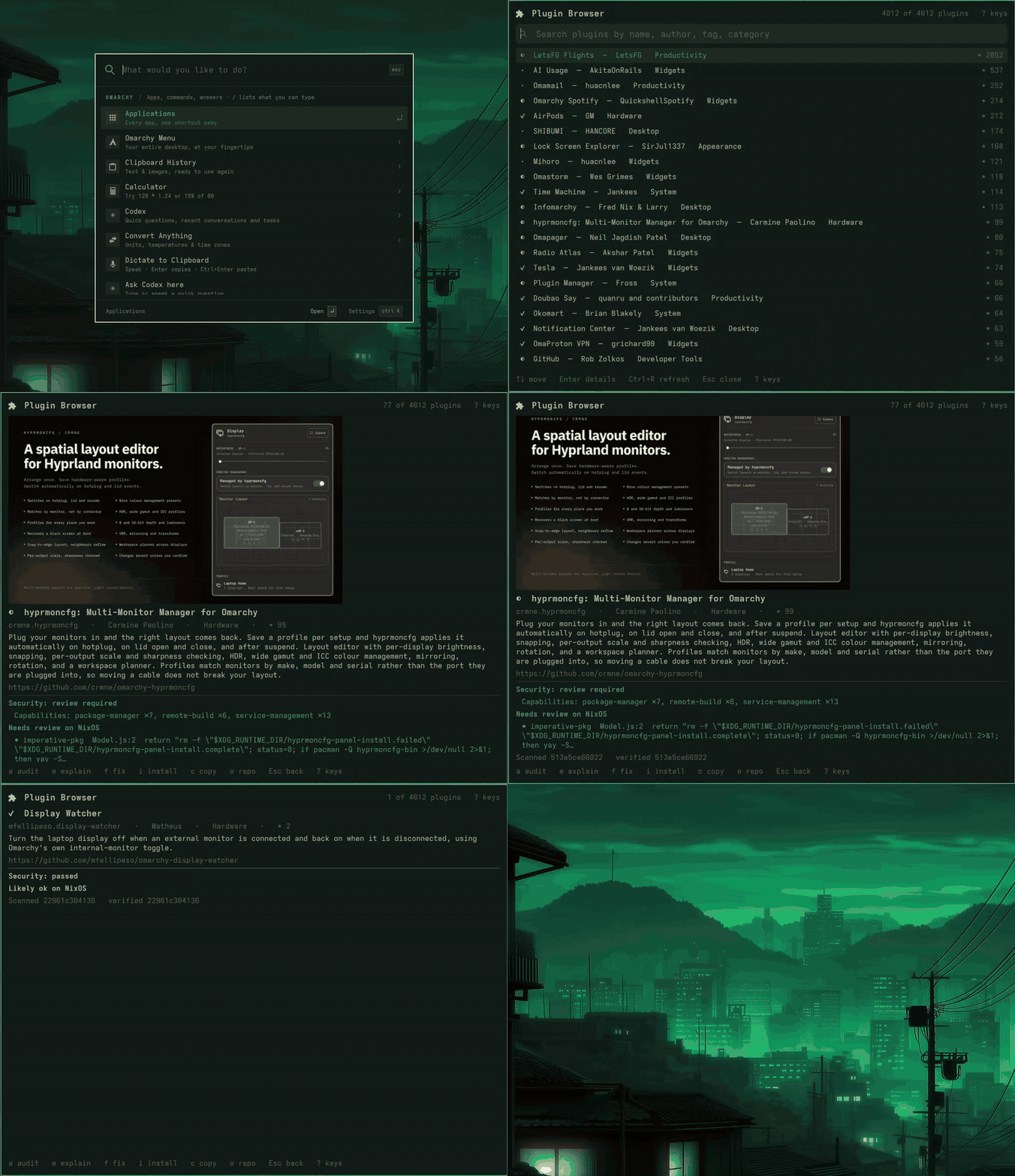
An Omarchy shell plugin is not a theme. It is code that runs inside the desktop shell, with everything your account can reach, and the marketplace is written for Arch. Upstream’s Add Plugin asks for a Git URL and installs whatever is there. This panel puts a step in between: find the plugin, read what it does, and see what an audit found, before any of it is on your desktop.
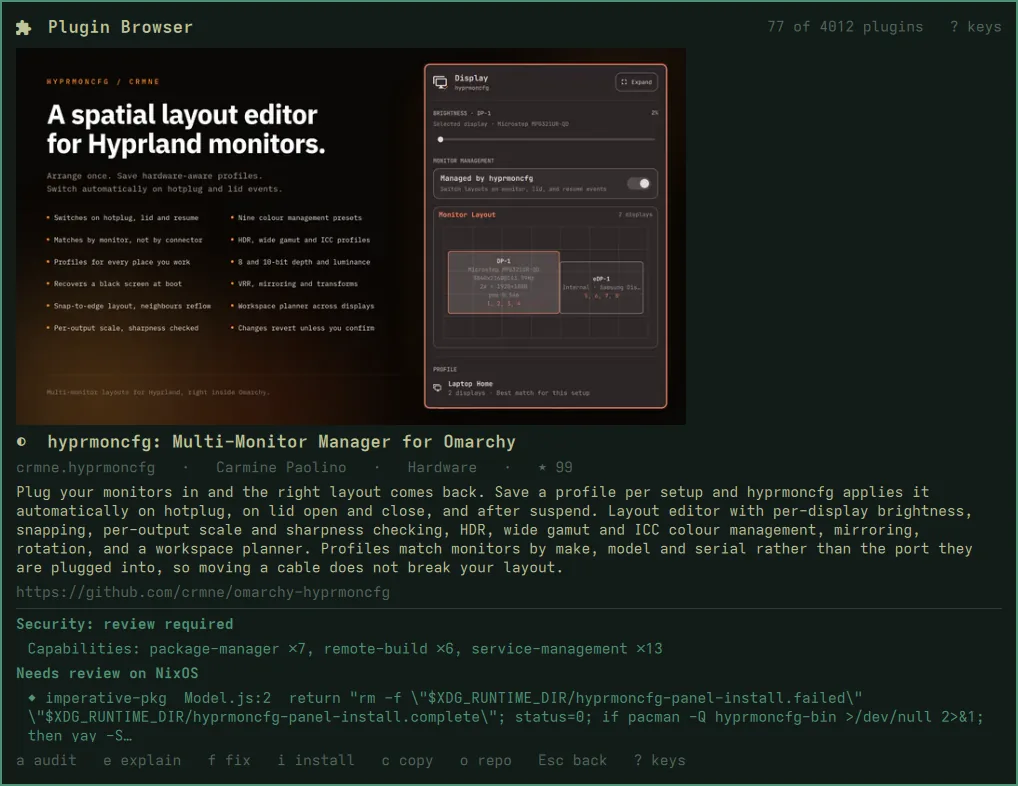
Two verdicts, before anything is installed
Opening a plugin clones it at the commit the marketplace verified, into a bubblewrap sandbox with no network and an empty home, and scans it without running it. You get two answers:
- Security: passed, review required (it installs packages, runs services, builds remotely…), or needs fixes;
- NixOS: likely fine, needs review, or blocked, with the file and the line of every finding.
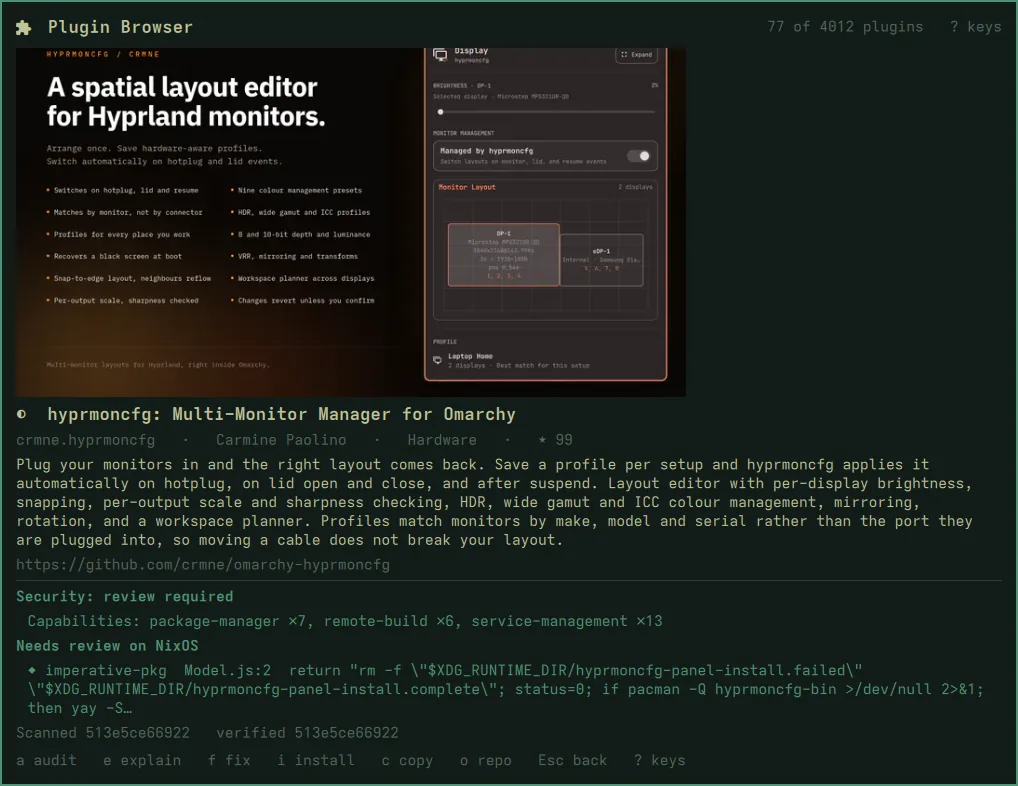
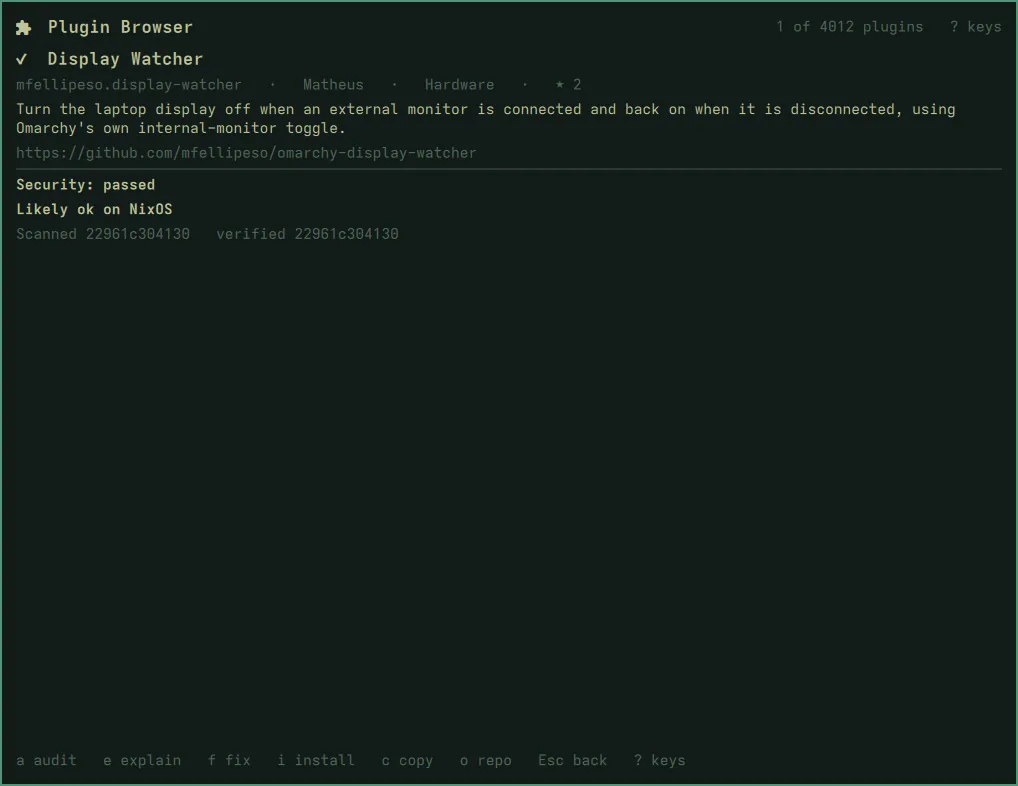
Install with i, and it lands disabled, at the commit that was audited.
You turn it on when you’ve read it.
When it won’t run on NixOS
e hands the audit to your default agent, the one nixarchy ask uses, to
explain each finding. f lets it fix a disposable copy: you see the diff,
the copy is audited again, and you choose whether to install it. The agent
runs on untrusted code, and the manual says what that means.
Get it
- On nixarchy it is already there: Setup ▸ Plugins ▸ Add Plugin (and Super+Alt+U on a fresh install).
- Anywhere else on NixOS, it is a flake, and Getting started has the lines.
Recorded on a nixarchy desktop. The plugins shown are public marketplace entries.