distrobox for the Omarchy shell on nixarchy. Your boxes are on the bar and behind a key, and a new one is a form away.
Who it is for
You run NixOS, and sometimes you need another distribution’s toolchain: an Ubuntu box for a vendor SDK, an Arch box for something from the AUR, a Fedora box to test a package. distrobox makes that one command. This is for when you would rather glance at your bar and press a key than remember the command.
The problem
distrobox is excellent, and its interface is a terminal:
distrobox list                      # a table, and nothing else can read it
distrobox create --name dev \
  --image quay.io/toolbx/ubuntu-toolbox:24.04 \
  --home ~/.local/share/distrobox/dev --init --additional-packages "git tmux"
distrobox enter dev                 # the first start sets the box up; wait
distrobox upgrade --all             # and keep this terminal open for a while
- Nothing shows state. Nothing on your desktop says whether a box is running, or whether one failed.
- Create has more than twenty options. They are easy to get subtly wrong.
- Short image names do not resolve. On nixarchy, podman has no unqualified-search
registries, so
alpineon its own means nothing. - Long jobs hold a terminal. A first start or an upgrade takes minutes, and it keeps a terminal busy the whole time.
What it does
One glyph in the bar says how your boxes are. It is dim when nothing runs, in the accent colour when something does, and red when a box has failed.
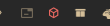
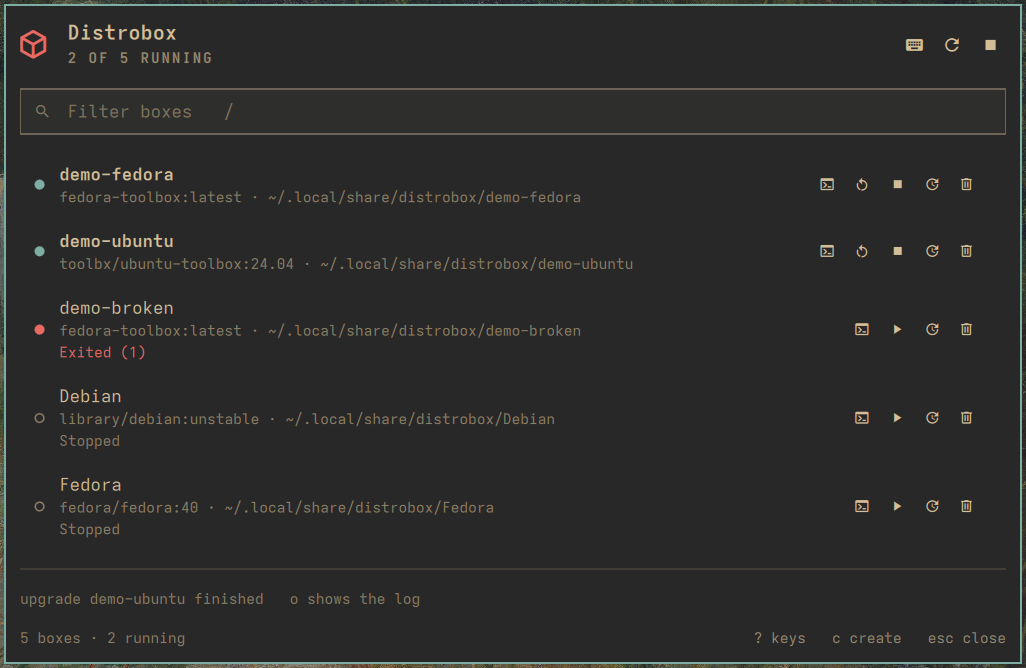
demo-broken failed its first start.One list shows every box, running first:
- each box’s image and home directory (
~when it shares yours); - the state: running, stopped, created but never started, or failed with its exit code.
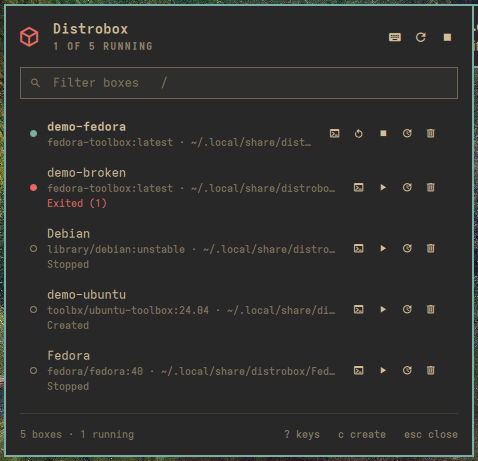
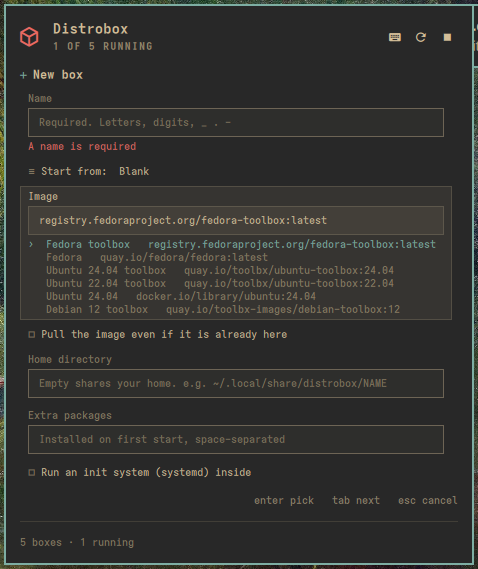
--init on an image without systemd, and one has never been started. The last two are the machine's own stopped boxes. Names sort without regard to case.A form knows every distrobox create flag.
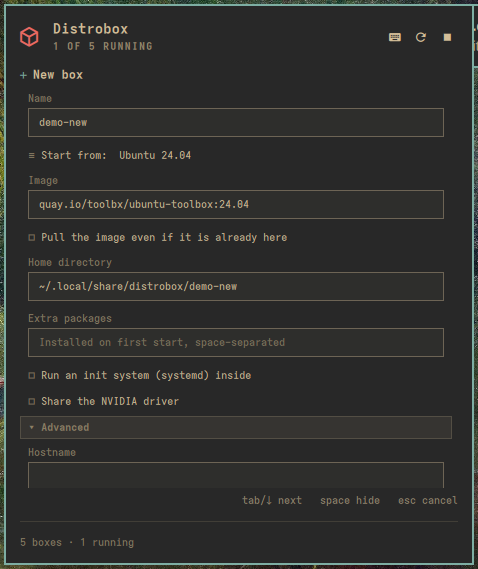
- The common fields come first: name, image, pull, home, extra packages, init and NVIDIA.
- The rest sit behind Advanced: hostname, clone, volumes, engine flags, init and
pre-init hooks, platform, the six
--unshare-*switches, and--no-entry. - The image field has a list of toolbox images that resolve on nixarchy.
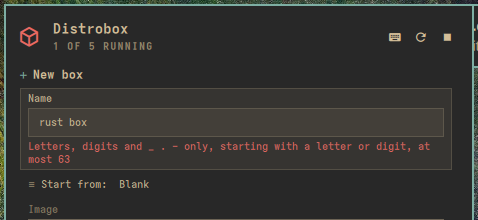
- A mistake is flagged under the field before anything runs.
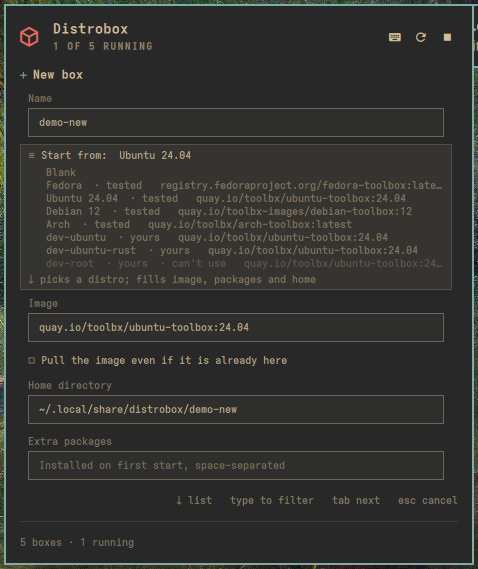
Your own templates come from a distrobox assemble file,
~/.config/distrobox/boxes.ini. Each section appears under Start from, marked
yours. One the plugin will not run (here root=true) is greyed out, and picking
it says why. The plugin reads the file itself and never runs assemble.
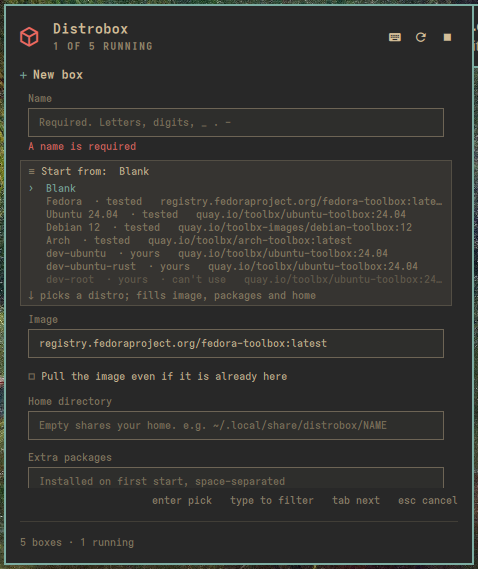
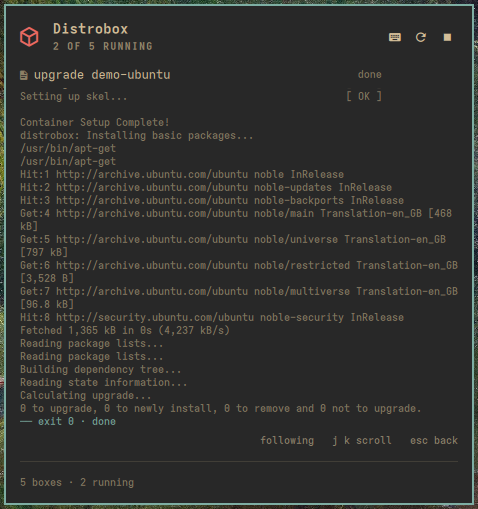
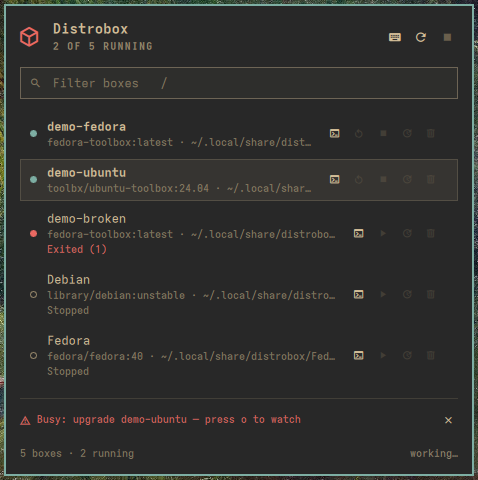
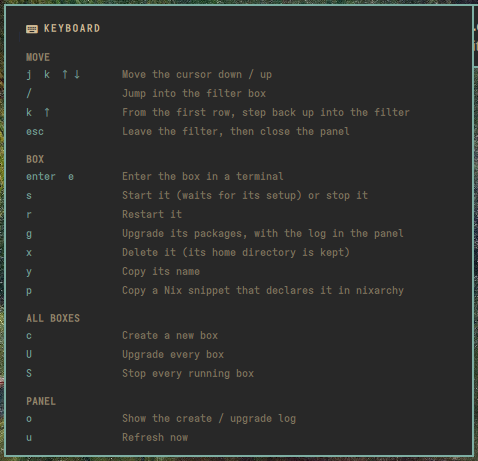
dev-ubuntu-rust includes dev-ubuntu; dev-root is refused.Long jobs stream into the panel. Create and upgrade show their output as it arrives. esc goes back to the list while the job keeps running, and o brings the log back. U upgrades every box, one at a time, and a box that fails does not stop the rest.
Keep a box you made by hand. p copies a Nix snippet that declares the box in your nixarchy flake, and shows it. Paste it and rebuild, and the box is made again on any machine. The plugin edits nothing itself.
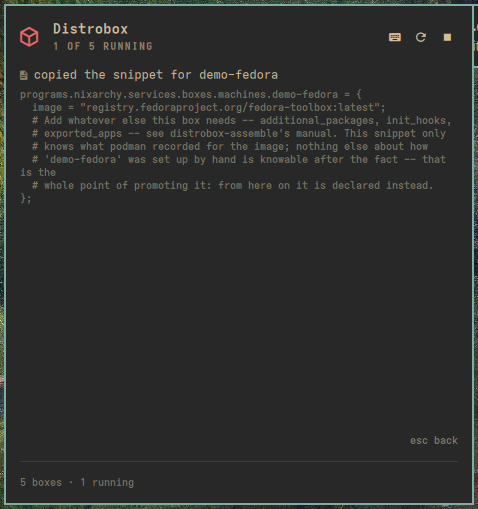
demo-fedora: the snippet is on the clipboard, and esc goes back.There are two ways in. Click the glyph for the popup, or open the larger full-screen view from a key you bind (Super+Alt+D below) or the Distrobox row in the Omarchy menu. It holds the keyboard until you are done.
How it works
- It asks the engine, not the table.
distrobox listprints for people. The plugin asks podman (or docker) directly for every container labelledmanager=distrobox, which is whatdistrobox listdoes underneath. - Start waits for the box to be ready. A box can be running before distrobox
has finished setting it up. So start goes through distrobox itself
(
distrobox enter -T -- true), and the row says starting… until the setup is done. Enter then drops straight into a shell. - One change at a time. The bar and the menu share one state. While a start, stop, delete, create or upgrade runs, anything else that would change a box is refused, and the refusal says why.
- The engine is never guessed. Every distrobox command runs with
DBX_CONTAINER_MANAGERset to the engine you chose, so a docker setup never touches a podman box of the same name.
Why it is built this way
- The form checks every field against what is safe where it lands.
distrobox
create
builds one command and runs it through your shell on the host. Each field lands somewhere different in that command: some unquoted, some inside double quotes, the init hook inside single quotes. So each field has its own list of allowed characters.- This was tested on a real create: hooks full of
;,&&,|,$( … )and backticks ran nothing on the host. - One
'in an init hook, sent past the form, did run on the host. The form refuses exactly that.
- This was tested on a real create: hooks full of
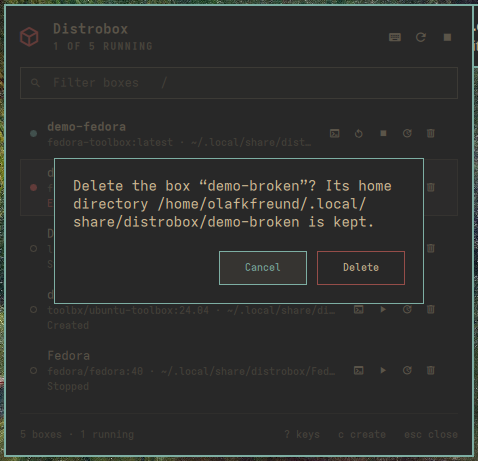
- Nothing irreversible happens by accident. x asks first, names the box, says its home directory is kept, and has Cancel selected.
- Keyboard first. Omarchy is a keyboard desktop. Every action has a key; press ? for all of them.
- No daemon, no wrapper. It runs
distroboxand your engine from yourPATH, as you. A closed surface does nothing, and the only background work is a slow check that keeps the glyph honest.
A tour
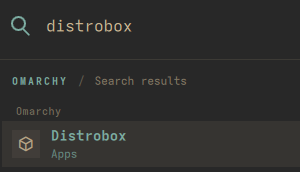
share/omarchy-menu.jsonc.Set it up
On NixOS with nixarchy, add the flake and install the plugin:
inputs.nixarchy-distrobox = {
  url = "github:olafkfreund/nixarchy-distrobox";
  inputs.nixpkgs.follows = "nixpkgs";
};

programs.nixarchy.plugins."nixarchy.distrobox".src =
  inputs.nixarchy-distrobox.packages.${pkgs.stdenv.hostPlatform.system}.default;
It needs distrobox and podman (or docker) on your PATH. Rebuild, then enable it
once:
omarchy plugin enable nixarchy.distrobox
Without Nix: omarchy plugin add https://github.com/olafkfreund/nixarchy-distrobox,
then the same enable.
Give it a key. Add this to ~/.config/hypr/bindings.lua:
o.bind("SUPER + ALT + D", "Distrobox", "omarchy-shell shell toggle nixarchy.distrobox '{}'")
On docker? Set Container engine to docker in the widget’s settings.
Read the manual for the Omarchy menu row, settings, troubleshooting and removal. The source is at github.com/olafkfreund/nixarchy-distrobox.
Every image on this page is the real plugin on a real machine, driven from the
keyboard. It was captured with throwaway demo-* boxes, each with its own home,
which were removed afterwards. Two of the machine’s own boxes appear in the list,
with its owner’s permission. They, and the machine’s settings, were not changed.