Podman for the Omarchy shell on nixarchy: your containers, images, volumes and networks on the bar and on a key.
Who it is for
You run containers with rootless Podman on an Omarchy desktop: a database for the
project you are on, a few services you started last month, and images you pulled once
and forgot. You would rather glance at your bar than type podman ps -a.
The problem
Four questions come up all the time: What is running? What is broken? What is eating my disk? Is it safe to delete? Each needs its own command, and they don’t talk to each other:
podman ps -a            # what is running, what exited
podman images           # what is taking space
podman volume ls        # which of these is still attached to anything?
podman system df -v     # how much would I get back?
podman volume prune     # and this one you cannot take back
So you run them in a terminal, read the output side by side, and either decide it is not worth the risk or delete something you needed.
What it does
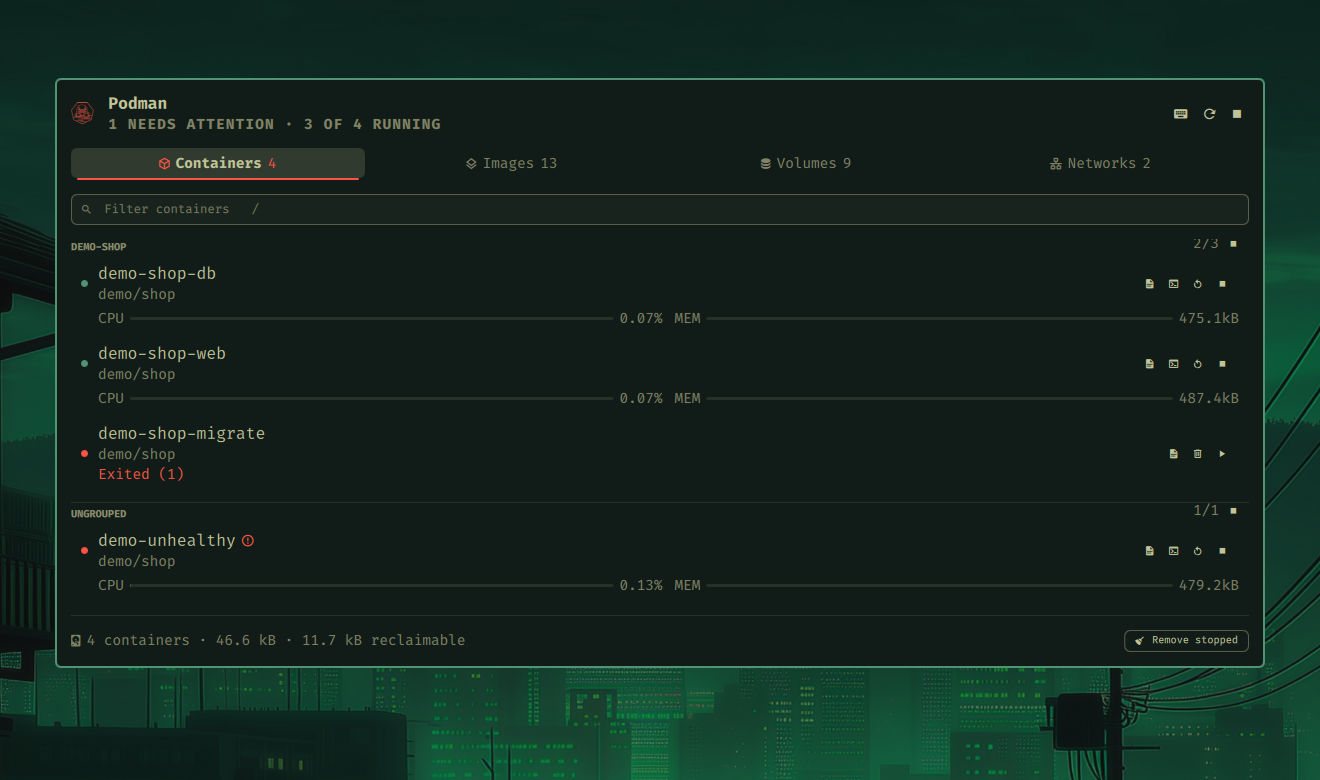
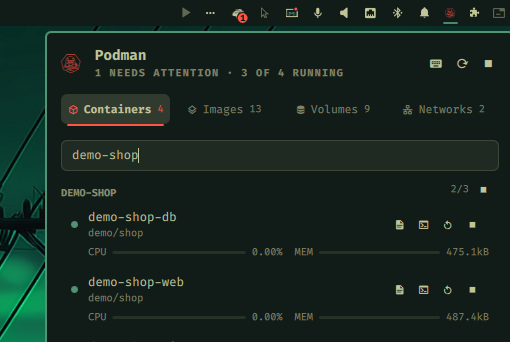
One glyph in the bar tells you the state at a glance. It is dim when nothing runs, bright when something does, and red when a running container is unhealthy or stuck restarting.

Four tabs answer the four questions. Containers are grouped by Compose project, running first, with live CPU and memory. Images, volumes and networks are each split into Unused and In use, biggest first, and the footer says how much you would get back.
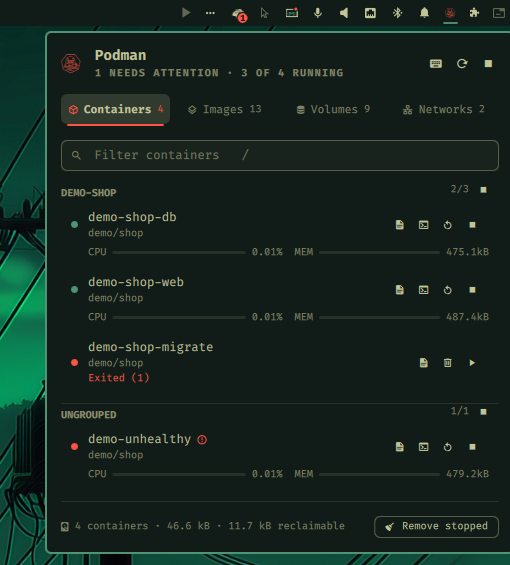
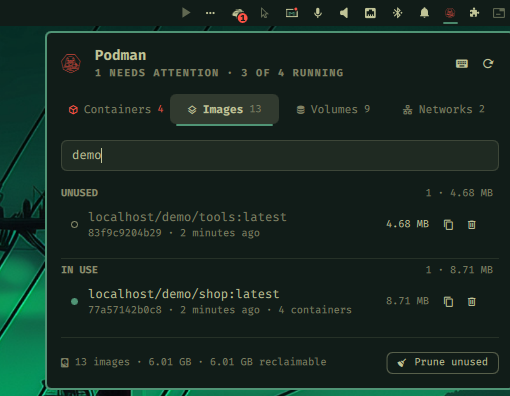
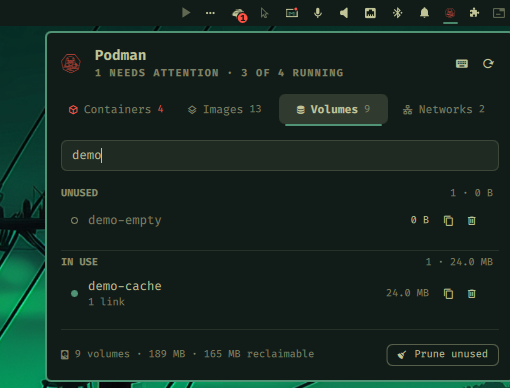
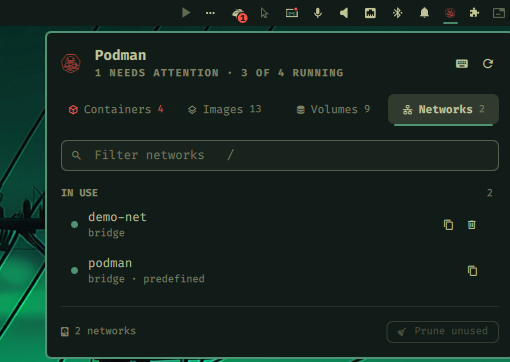
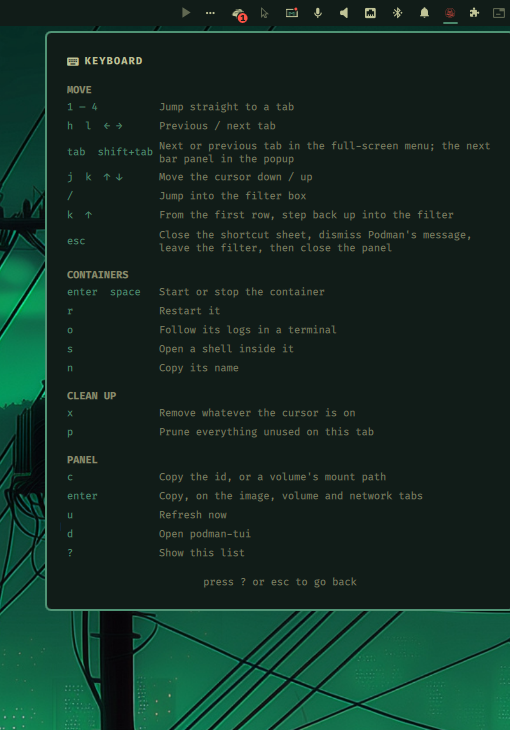
podman network is marked predefined and cannot be removed.Every action is a key. Start, stop and restart. Follow the logs, or open a shell inside a container. Copy a name or an id. Remove one thing, or prune a whole tab.
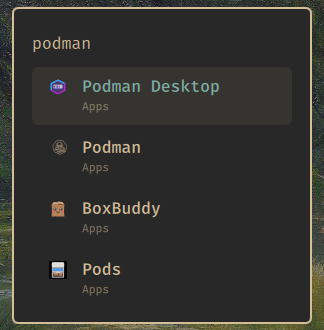
There are two ways in. Click the glyph for a popup under it, or press Super+Alt+O (or pick Podman in the Omarchy menu) for a larger full-screen view. The full-screen view holds the keyboard until you are done, and does not need the widget to be in the bar at all.
How it works
- Podman decides, not the plugin. What counts as unused, how much a volume takes and
what a prune would remove all come from Podman’s own answers. So the Unused list is
exactly what
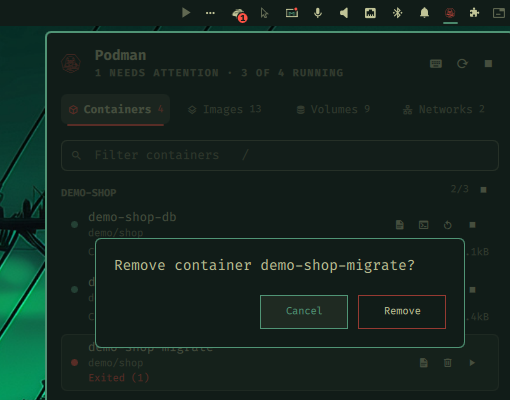
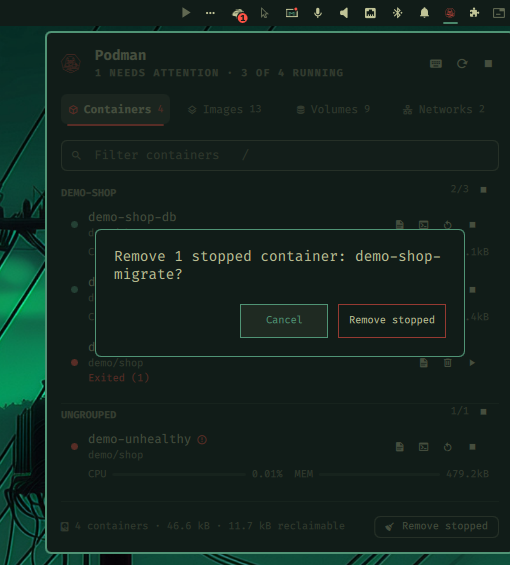
prunewould take. - Nothing irreversible happens by accident. x and p always ask first, say what is about to go, and have Cancel selected.
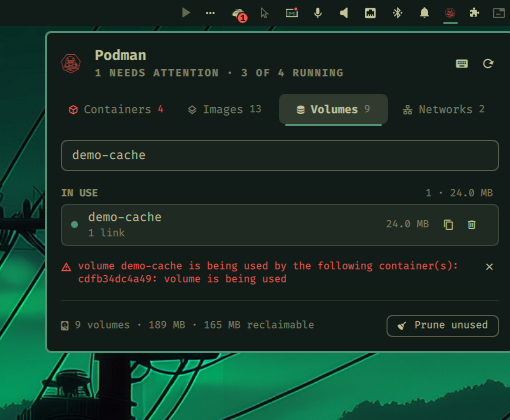
- When Podman says no, you see why. Podman refuses plenty of reasonable-looking requests: a volume still mounted, an image still in use. Its own reason appears under the list, verbatim.
- It stays out of the way. A closed surface does nothing. The only background work is a slow check that keeps the glyph honest.
Why it is built this way
- Podman’s judgment, not a guess. A tool that re-implements “unused” gets it wrong eventually, and for a delete key, wrong is expensive.
- Keyboard first. Omarchy is a keyboard desktop, and a container manager you have to reach for the mouse to use would not get used. Every surface, tab, row and action has a key; press ? for all of them.
- No daemon, no wrapper. It runs
podmanfrom yourPATH, rootless, as you. There is nothing extra to keep running or to trust. - Installed like the rest of nixarchy. It is a flake. Your system configuration says it is there, and a rebuild puts it there.
A tour


share/omarchy-menu.jsonc.Install
On NixOS with nixarchy, add the flake and install the plugin next to
programs.nixarchy.enable:
inputs.nixarchy-podman = {
  url = "github:olafkfreund/nixarchy-podman";
  inputs.nixpkgs.follows = "nixpkgs";
};

programs.nixarchy.plugins."nixarchy.podman".src =
  inputs.nixarchy-podman.packages.${pkgs.stdenv.hostPlatform.system}.default;
virtualisation.podman.enable = true;
Rebuild, then enable it once:
omarchy plugin enable nixarchy.podman
Without Nix: omarchy plugin add https://github.com/olafkfreund/nixarchy-podman, then
the same enable.
Read the manual for the Omarchy menu row, the key binding, settings, troubleshooting and removal. The source is at github.com/olafkfreund/nixarchy-podman.
Every image on this page is the real plugin on a real machine, driven from the
keyboard. It was captured with throwaway demo-* containers, volumes and networks,
which were removed afterwards. Nothing else on the machine was changed.