devenv environments for the Omarchy shell on nixarchy. This plugin puts every project you have on the bar and behind Super+Alt+E. A new one, in any of seventeen stacks, is a form away.
devenv shell in it.Who it is for
You use devenv: a devenv.nix per project, with its languages, tools, services
and processes pinned by a lock. You have a dozen of these across your source
folders, and you would rather press a key than remember which one is where,
which is allowed, and which has a database running.
The problem
devenv is a command line, one project at a time:
cd ~/Source/GitHub/api && devenv shell       # which folder was it?
devenv up -d                                 # is it already running?
devenv processes down
devenv update
devenv allow                                 # or was it revoke?
On nixarchy it was also split in two. Language presets lived inside nixarchy
(nixarchy dev init python), so a new template meant a nixarchy release. The
cloud templates lived in their own repository, and there was no Java, Kotlin,
.NET or mobile template anywhere. Nothing listed the projects you had.
What it does
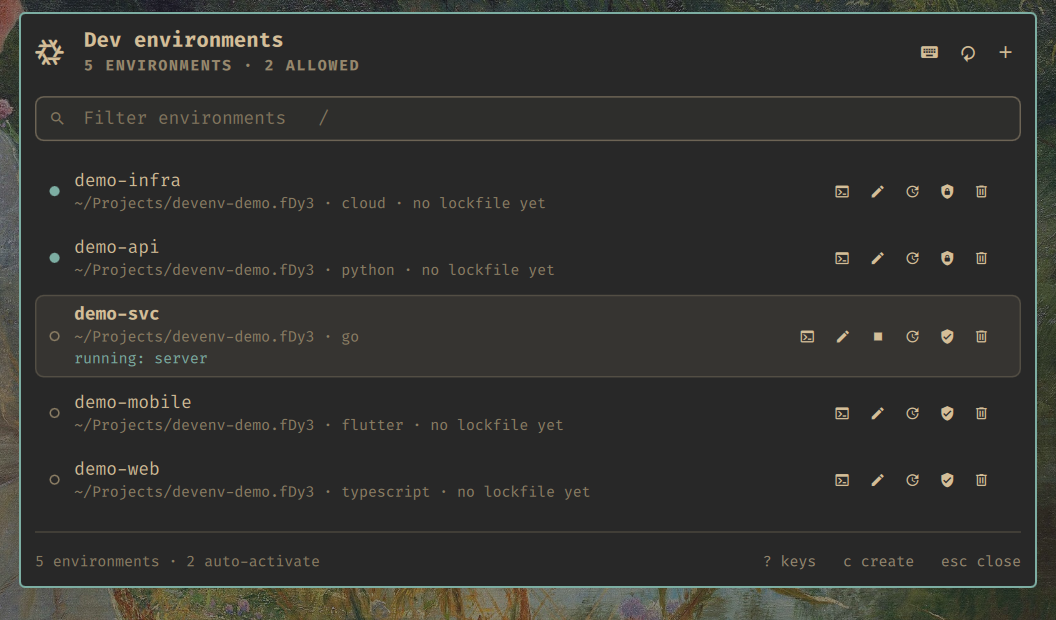
cd. The row under the cursor says whether its processes are running.- List. Every
devenv.nixunder your project roots, plus anything you have allowed elsewhere. - Enter and edit. enter opens
devenv shellin a new terminal, in the project. e opensdevenv.nixin your editor. - Processes. s starts them with
devenv up -dand stops them again. Stop is never locked out. - Update. g runs
devenv update, with the log in the panel. - Allow or revoke automatic activation with a. Nothing is ever allowed behind your back.
- Remove in four steps, least destructive first. Each step says what it keeps.
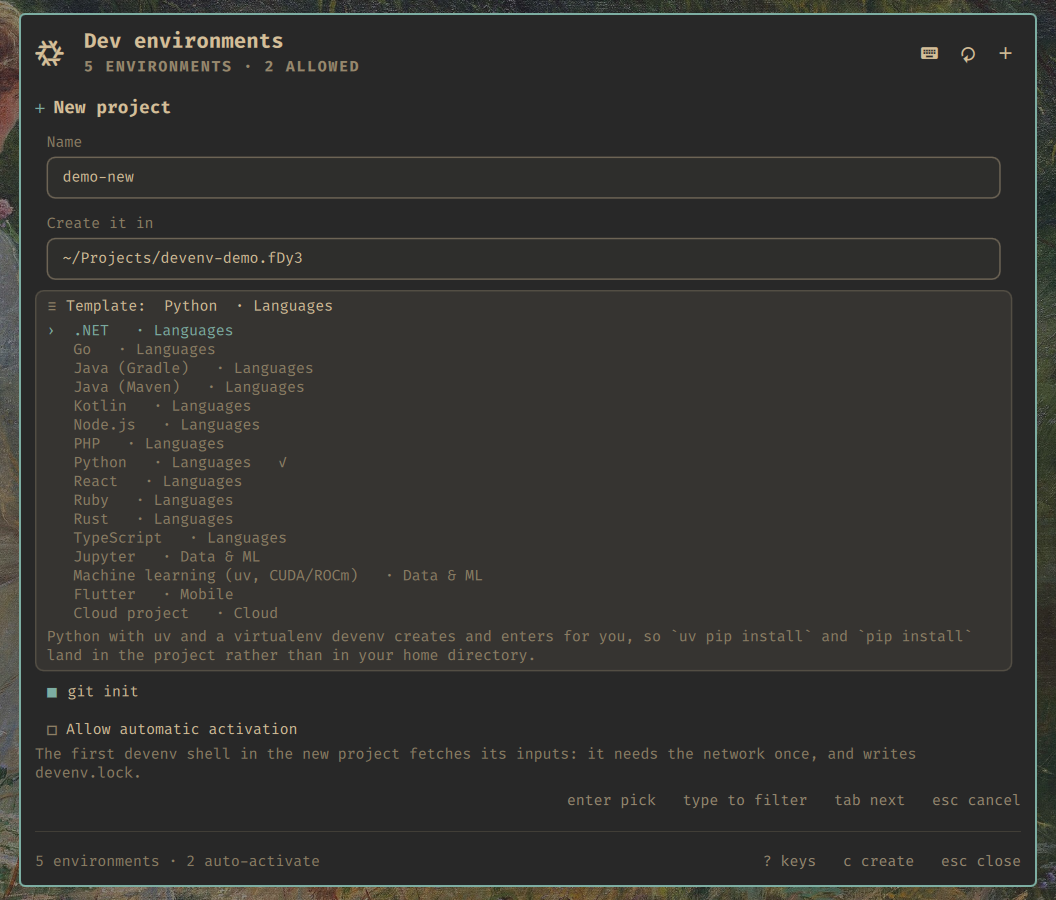
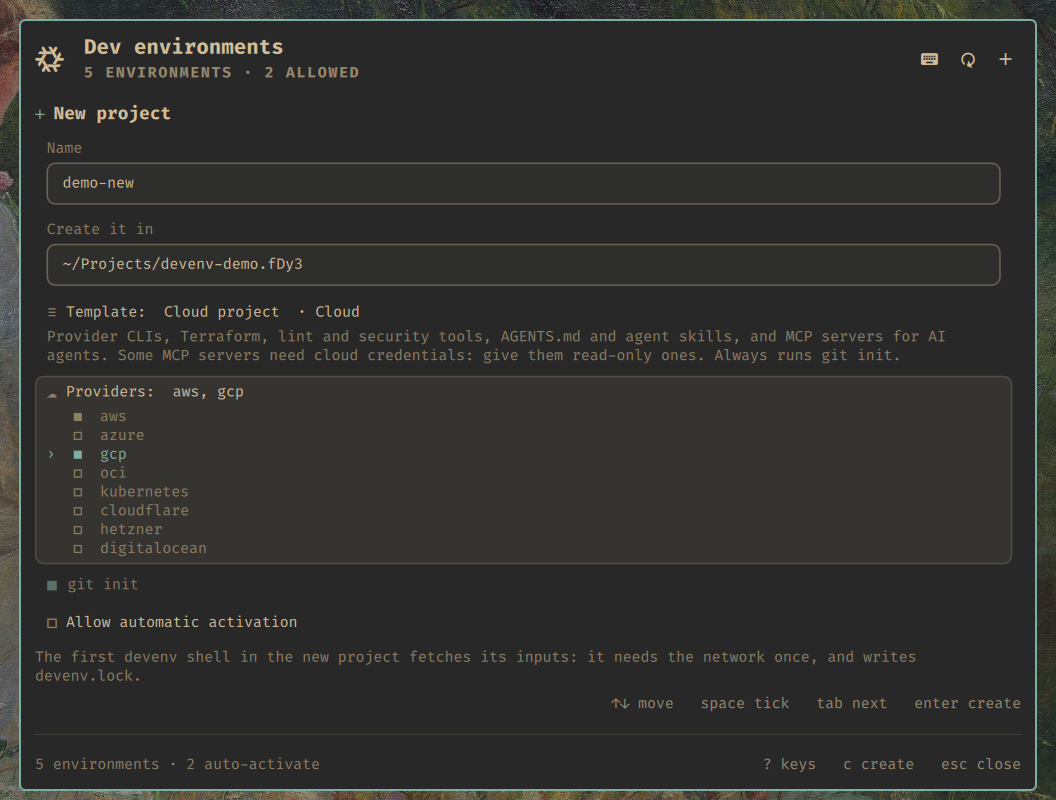
Twenty-seven templates on x86_64
The Android template is x86_64-only, so aarch64 shows twenty-six.
| Group | Templates |
|---|---|
| Languages | Node.js, React, TypeScript, Python, Go, Rust, Java (Gradle), Java (Maven), Kotlin, .NET, PHP, Ruby |
| Web | Frontend web, Backend web |
| Data & ML | Machine learning (uv, CUDA/ROCm), Jupyter |
| AI | Local AI, AI providers |
| Mobile | Flutter, Android (x86_64) |
| Cloud | cloud-projects-templates: AWS, Azure, GCP, OCI, Kubernetes, Cloudflare, Hetzner, DigitalOcean |
| Omarchy | Omarchy plugin starter |
| NixOS | NixOS configuration starter |
| Yours | any folder in ~/.config/nixarchy-devenv/templates/ |
Language templates are a handful of devenv option lines, while the Omarchy and NixOS starters create small independent project trees. There is nothing of nixarchy’s in a generated project, and nothing a teammate without nixarchy cannot read. Before a release, every template is scaffolded and evaluated against a real devenv.
How-to guides: AI projects, Omarchy plugins and NixOS configurations, cloud infrastructure, and encrypted secrets.
Removing, carefully
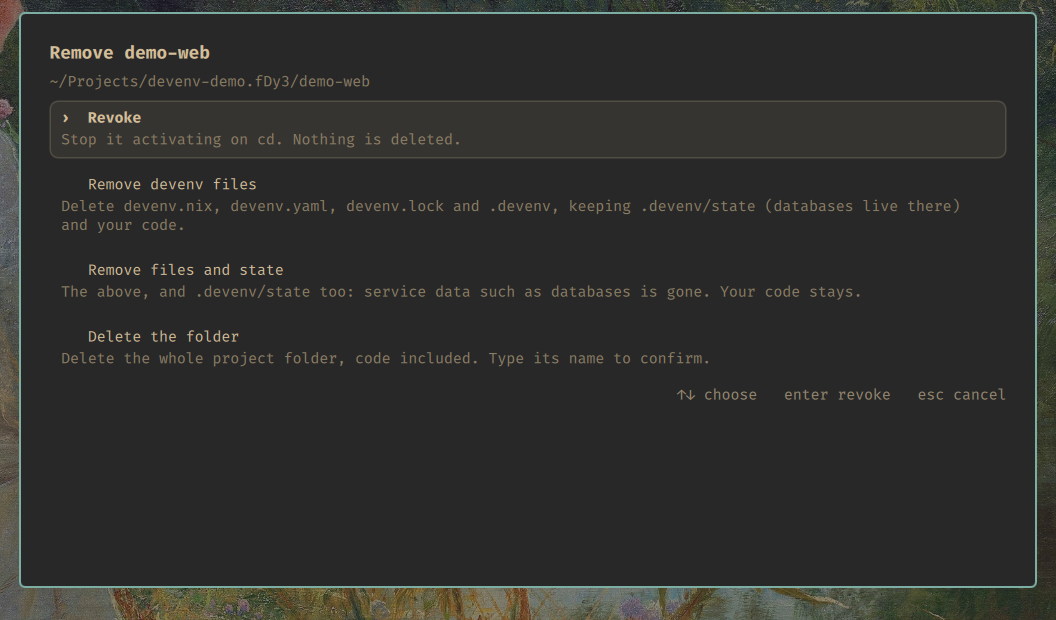
.devenv/state, where a database keeps its data, goes only if you ask for it. The folder goes only if you type its name.The command that deletes checks everything again right before it acts. It refuses:
- a path that is not canonical;
- your home directory, or a project root;
- a folder without its own
devenv.nix; - a folder that moved device since it was listed;
- anything whose processes are running, or might be.
Bound environments
A directory bound with devenv --from <source> allow has an environment but
no devenv.nix of its own: its configuration lives somewhere else. It is in
the list anyway, reading from <source> where a template would be.
demo-bound has no devenv.nix; it is bound to demo-shared. x offers revoke only. enter opens its shell, and hello answers from demo-shared's configuration. Revoking it from the menu forgets the binding, and the row leaves the list.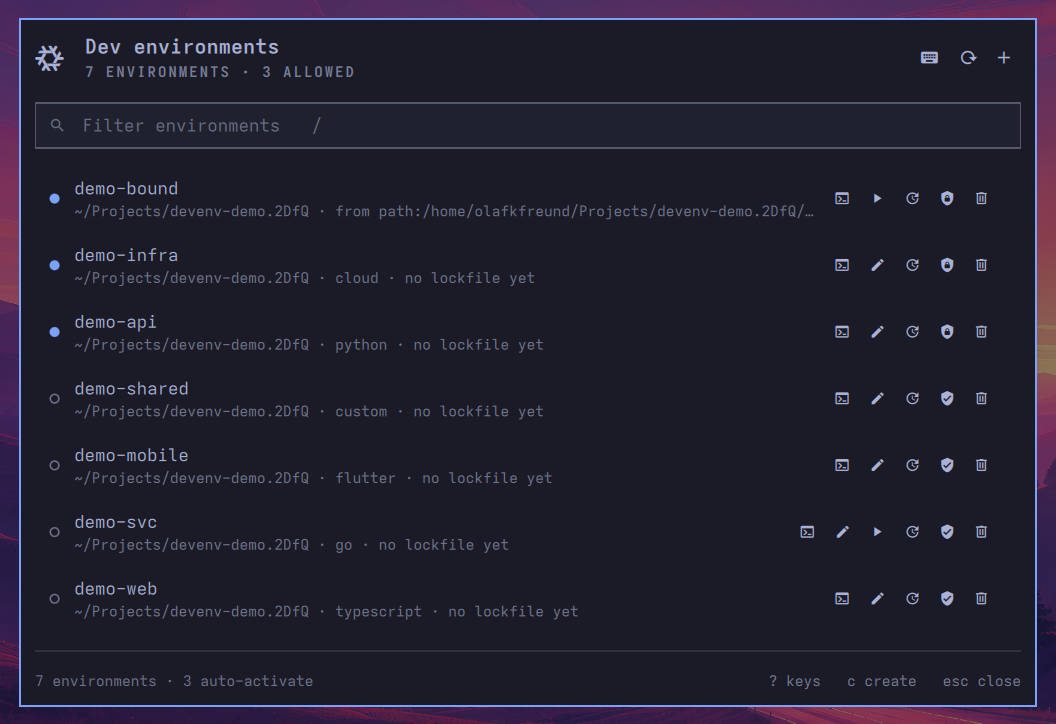
devenv.nix here to edit.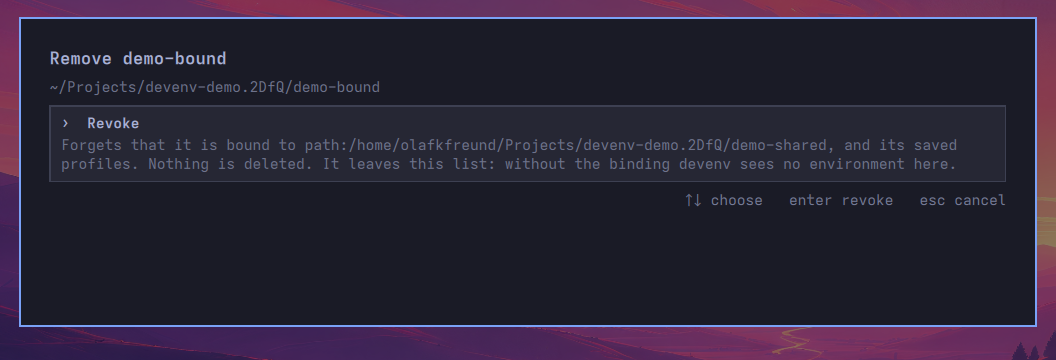
How it works
The plugin is a Quickshell QML surface. All of its logic is in one tested
JavaScript file, and it never touches a project directory itself. A small
command, nixarchy-devenv, does the listing, creating, status and removal, and
answers in JSON. You can use the same command in a terminal, and on nixarchy
it is nixarchy dev init.
Set it up
On nixarchy it is on by default. Anywhere else with Nix:
inputs.nixarchy-devenv.url = "github:olafkfreund/nixarchy-devenv";
The flake has three outputs: packages.<system>.cli (the command),
packages.<system>.plugin (the plugin folder) and
homeManagerModules.default (the key). Without Nix:
$ omarchy plugin add https://github.com/olafkfreund/nixarchy-devenv
The manual has the rest: requirements, every key, your own templates, settings and troubleshooting.